On this page
Key takeaways
Made for cross-border VooV / Tencent Meeting calls
- Full support for Mandarin Chinese ↔ English, Chinese ↔ Vietnamese, and 60 languages in both speech and captions.
- Partners in mainland China join standard Tencent Meeting with zero VPN, plugins, or extra accounts.
- Pin SKU codes, manufacturing specs, MOQs, and company names in a custom glossary before negotiation calls.
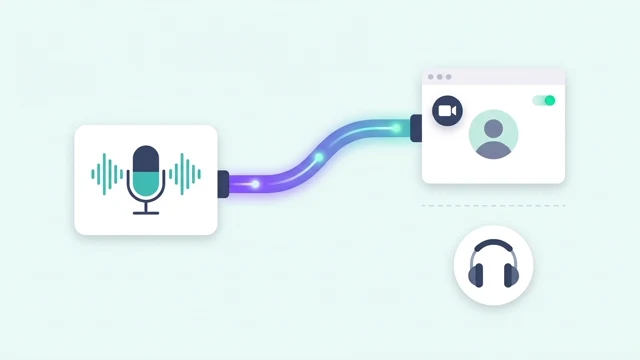
- Works via VB-CABLE virtual microphone inside both the international VooV client and mainland Tencent Meeting.
Live audio sample
Hear how the translated speech sounds
我们先确认交付内容,再安排下一次会议。
Let’s confirm the deliverables first, then schedule the next meeting.
Video walkthrough
Watch the 1-minute setup video guide
Follow the exact clicks on screen — switch between Browser (Google Meet), Desktop apps (Zoom / Teams / VooV), and the live call demo.
 Desktop setup · Tencent Meeting (VooV) · 1:08
Step-by-step setup
Ready for your call in 2 minutes
Runs best in desktop Chrome or Microsoft Edge on Windows and macOS.
VooV / Tencent Meeting → Settings → Audio
- VooV / Tencent Meeting Microphone: CABLE Output
- VooV / Tencent Meeting Speaker: Headphones (zero echo)
- Chrome: Entire Screen + [✓] Also share system audio
Install VB-CABLE once
Download and install VB-CABLE on Windows or macOS to create your virtual microphone route.

Choose Chinese + your language in VeyraTalk
Set your real microphone as input, CABLE Input as output, and load your supplier glossary.

Select CABLE Output in VooV / Tencent Meeting
Open VooV Settings → Audio, select CABLE Output as Microphone, and select your headphones as Speaker.
Test microphone level & start your call
Play the test tone in VeyraTalk to confirm the VooV mic meter reacts, then speak clearly turn by turn.

Meeting Apps
Bridge language gaps with suppliers & remote teams
Most Western meeting translation tools ignore Tencent Meeting / VooV completely. VeyraTalk works cleanly with VooV’s desktop audio settings out of the box.
Clear numbers, specs, and delivery dates
Bilingual captions let you verify quantities, unit prices, and lead times visually while translated speech keeps negotiations moving.
No extra attendee or bot in the room
Avoid awkward questions from partners about why an unknown bot joined their Tencent Meeting room.
Save a profile per factory or client
Switch between suppliers in one click with saved language pairs, voice settings, and specialized vocabulary.
Transparent pricing
Simple pricing built for real client hours
Spoken translation, bilingual captions, and live transcription share one monthly credit balance. Paid plans include 14-day refund protection (up to 10,000 credits used).
 Free
 Lite
 Core
 ProPopular
 Max
Yearly billing includes 1 month free. See full plan comparison & calculator →
FAQ
Common questions
Straight answers on setup, pricing, and call privacy before your next meeting.
Does VeyraTalk work with both VooV Meeting and mainland Tencent Meeting?
Yes. Both desktop clients let you choose CABLE Output in Audio Settings as your microphone.
Can I translate Vietnamese directly to Chinese (and vice versa)?
Yes. Both Vietnamese and Chinese are included among VeyraTalk’s 60 supported languages for spoken translation and bilingual captions.